
Custom fields for EposNow data on WooCommerce
When product sync is enabled, you will see additional fields for EposNow product data in your WooCommerce admin panel.
For simple products, you can find it in the EposNow (Slynk) tab when editing a product as shown below:
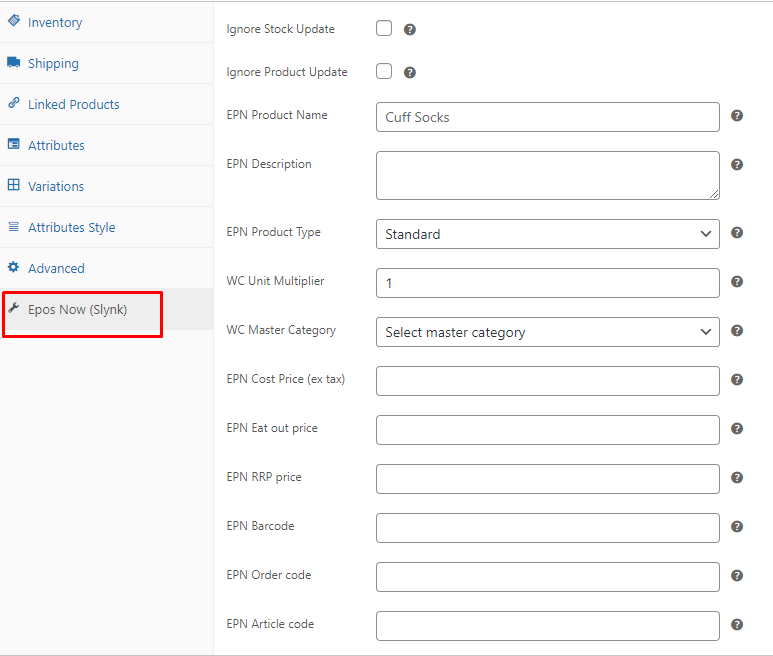
For variable products, you can find these same fields by opening up the variations.
For more detailed information on these custom fields such as the meta keys used, take a look at this article.