
How to auto print web orders in-store
You can have your WooCommerce orders printing out in-store automatically using a combination of our integration and the EposNow Online Order Printing feature.
Here is the sequence showing how this works:
- Order received on your website
- Your website send us a webhook with the order details
- It is important to make sure the WordPress cron is configured correctly for this to work reliably.
- We process the order and create a transaction on EposNow
- We send the print command to EposNow as soon as the order is created successfully
- The EposNow Online Order Printing picks up this command and prints out the order on your order printer
Good to know
- Your order printer must be connected via Ethernet. It will not work if it is connected via USB.
- The online order printing must be setup on your till,
- EposNow support can help with this or you can use the guides from EposNow attached at the bottom of this article
- EposNow will determine which printer to send the items to based on the order printer setting for the product category
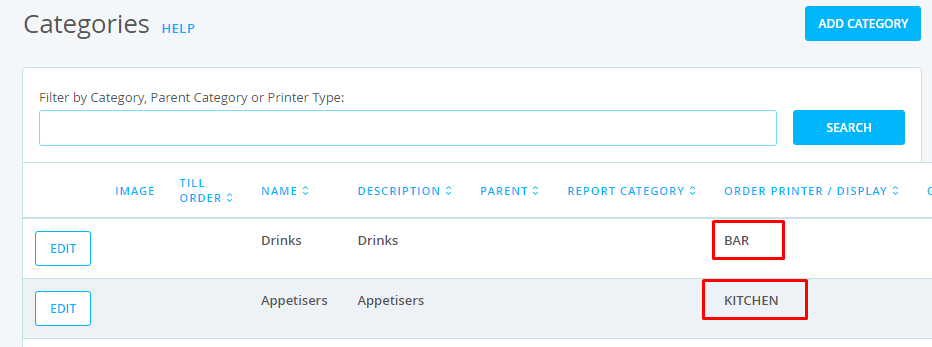
- In the example above:
- any products in the Drinks category are set to print out at the printers set as BAR printers
- any products in the Appetisers category are set to print out at the printers set as KITCHEN printers
