
How to upgrade/downgrade your flow plan
You can easily upgrade/downgrade your plan on the EposNow app store:
- Open the Epos Now App Store
- Select My Apps from the menu
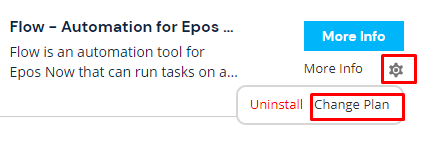
- Find the Flow app and click on the settings icon, then select change plan
- Select the plan you would like to change to
